Open something
worth listening to.
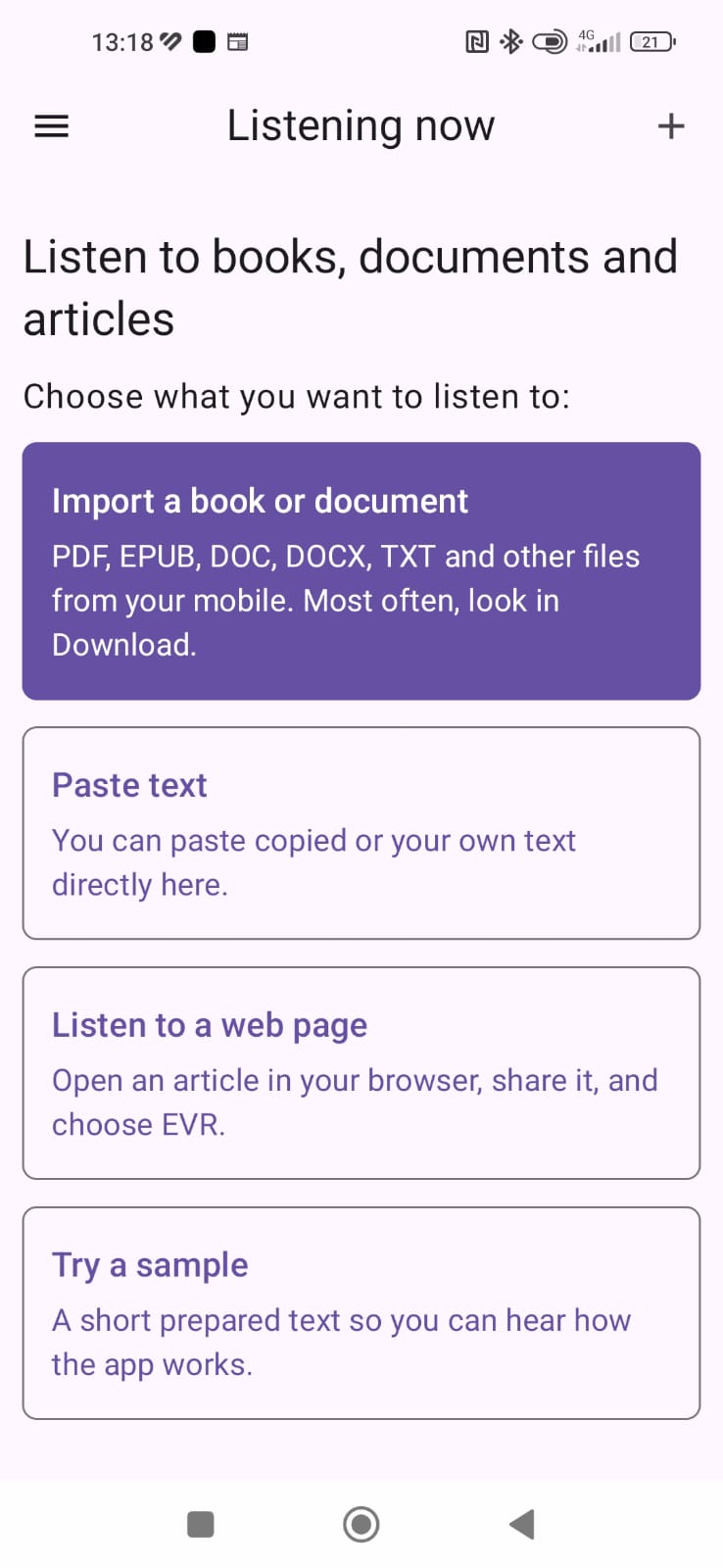
Import a book or document, paste text, or share an article from your browser to EVR.
Let your phone read while you enjoy the rest of your day. Listen to your ebooks, documents and articles with Ebook Voice Reader.
Free with occasional ads · One-time purchase removes ads
A LITTLE LESS EFFORT
No subscription to get started.
No recording your own audiobook.
Just your text, read aloud.
Import a book or document, paste text, or share an article from your browser to EVR.
Choose a voice available on your phone. Adjust the reading speed and pitch to suit you.
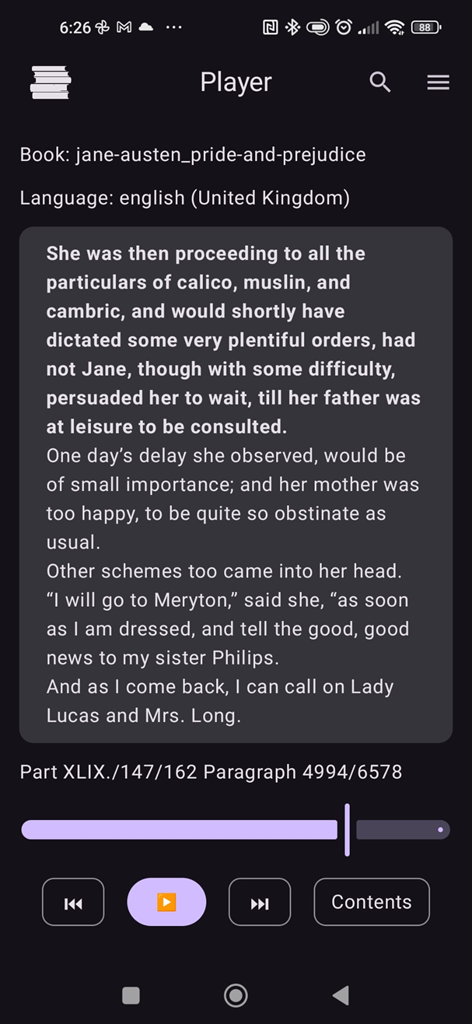
Listen in the background, even with the screen off. Come back to your saved place later.
MORE THAN A BOOK READER
Open your own EPUB, PDF or other supported file. Listen at your pace and return to the last saved position.
Share a web page from your browser. EVR tries to extract the article so you can listen to the main text.
Supported foreign-language articles and pasted text can be translated into your phone’s language on your device, then read aloud.
Translation supports texts up to 25,000 characters. Language models may need an initial download.LET THE APP DO THE TALKING
Hear a real recording of EVR in action.
Choose a sample language below.
Reading from the screen is one thing.
Listening is another.
Press play to hear the selected sample. These recordings are examples: available voices and their sound depend on your phone’s text-to-speech engine and installed voices.
Learn about voices in the guideTHOUGHTFUL LITTLE DETAILS
Your reading position is saved locally, ready for your next listening session.
Tell the voice how to say a name or phrase, without changing the book’s original text.
Read local books without internet when using an installed offline voice.
Your library stays on your device. Online voices may send text to their voice provider.
Yes. The free version includes occasional full-screen ads: at most once every 24 hours, after at least three completed reading or listening sessions. A one-time EVR PRO purchase permanently removes ads. Google Play shows the current price.
Not for local books when using an installed offline voice. Online voices and loading web articles need internet. Translation language models may need to be downloaded before on-device translation can work.
TXT, Markdown, HTML/XHTML, EPUB, PDF, DOC/DOCX, ODT, RTF, FB2, MOBI/AZW/AZW3/KF8, PDB, PRC and EVR. PDF files need a text layer: scanned pages without OCR text cannot be read. Protected ebooks with DRM are not supported.
EVR reads the books and documents you import, the text you paste and supported web articles you share. It is a reader, rather than a bookstore or an audiobook subscription. A built-in sample lets you try listening first.
No. EVR tries to extract the main article from a shared page, but some sites block access or use layouts that cannot be extracted reliably.
No registration is required. Books, reading positions and settings are stored locally, and their contents are not sent to the developer. Online text-to-speech providers may process the text being read. The free version uses Google AdMob and consent tools.
Read the full privacy policyYOUR NEXT CHAPTER STARTS HERE
For Android · Free with ads · No account required

A NOTE FROM THE MAKER
I make voice apps to help with everyday things — listening to books, making shopping lists and more. If something in EVR could work better for you, I’d like to hear about it.
libcosenior@gmail.comYOUR DATA
Protecting your privacy matters to me. Ebook Voice Reader does not require registration. Books, documents, voice settings, reading positions and pronunciation corrections are stored locally on your device, and their contents are not sent to the developer. Translation is handled on-device by Google ML Kit; when loading a shared web page, your device connects directly to that website. The free version uses Google AdMob and Google UMP. Full details about data, ads, consent and EVR PRO are provided in the complete policy.
Read the complete privacy policy: